How to create mistake-proof forms for increased conversion in 2026
Design mistake-proof forms to create seamless check-out and conversion experiences.

Nothing is more frustrating when filling out a form than clicking 'submit', only to be met with: argh! An unknown error. You think to yourself: "Where is the mistake?" "I've diligently filled out everything!" and quickly circle back to look for common offenders: dates not formatted correctly, extra spaces when there should be none, password requirements not met, or any other common infraction.
But filling out forms is the unfortunate reality of life in 2026. It’s almost impossible to order groceries, buy concert tickets, make an appointment at your dentist, or look for insurance without creating accounts, signing up, and hopefully remembering your password – but that’s a story for another day. How can we as designers help make life a little less frustrating, when the last thing we or our users want is fill out yet another form?
Let’s deep dive into some best practices to guide you the next time you find yourself updating a form or attempting to increase conversion for your company or business. To best respect your customers’ time and keep your business’ perception positive, let’s take a look at forms to make a process that is, at its very best, a little annoying, a little less painful.
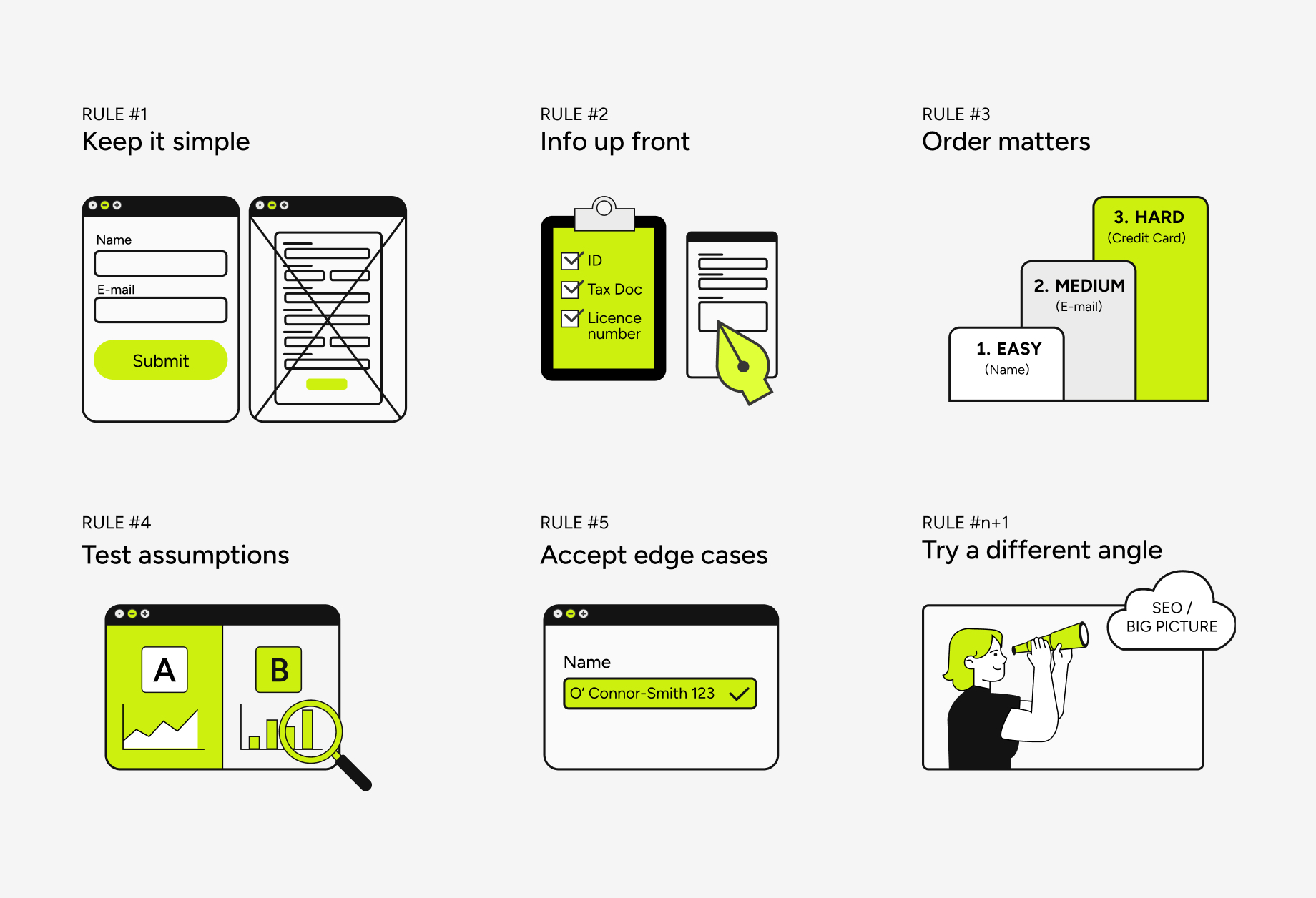
Rule #1: Keep it simple
As a rule of thumb: if you don’t absolutely need it, leave it out. Forms should be kept as short as possible to reduce fatigue on users and increase conversion rates. However, you’ll probably have to gear up for that conversation with internal stakeholders and other departments, who have their own agendas and motivations.
Marketing probably wants more customer data, but is it absolutely necessary to collect qualified leads? These are the difficult conversations you’ll have to have to advocate for higher conversion. Keep in mind, the higher the conversation rate, the lower quality leads you will get. That’s a trade-off that needs to be balanced with your business’ needs, industry, and expectations. Of course, if it were that simple then
Pro tip:
This rule goes hand-in-hand with other considerations, such as accessibility of form fields and how they are marked ‘required’. In general, if you follow the rule above, then all fields should logically be ‘required’ without needed a label or asterisk accompanying each field. If there is an optional field, consider marking that one as (optional) in the field’s label, and leaving all other fields unmarked (other than their label + help text, of course).
For even better clarity, consider including a small explainer text with the form’s title, stating that all fields are required unless marked otherwise. This will let the user know what they’re getting themselves into, and we can leave inaccessible asterisks and unnecessary label adornments in the past.
Rule #2: Provide all required information up-front
This rule will be applied very differently, depending on your company’s industry and requirements for the respective form you are working on. If you work for a government entity, and your user will need to prepare some documents or information in advance, then let them know before they roll up their sleeves to start filling out a lengthy, multi-step form. A pre-emptive list of required information that the user may not have memorized (social security number, tax return information, licence numbers and so forth) will allow them to prepare the necessary information and then come back once they are prepared. That way, they can fill out the form in one sitting, instead of being interrupted mid-way through the form.
Shorter forms for e-commerce and check-outs can do due diligence by informing users of country-specific shipping costs or free-shipping criteria up-front, so a user can make an informed choice before entering your check-out flow.
Pro tip:
If you are dealing with a lengthy form, consider auto-saving progress paired with in-line validation, or at the very least providing a “save progress” button, so that users can pause and return at a later time if needed.
Rule #3: Order is important
The order in which you collect information makes a surprisingly big impact on conversion. Start with information that’s easy to fill out and then ask for harder-to-provide information. For example, begin by asking information such as name and birthdate before asking for sensitive information such as Email or credit card information.
Pro tip:
You may also try breaking up your form into multiple steps. This is essential for lengthy forms, but can sometimes benefit conversion or acquisition funnels as well.
Rule #4: Don’t make (big) assumptions
Often, I hear opinions thrown around in meeting rooms and in calls that are pitched as and accepted as fact. They may even cite real facts and numbers from a dashboard, but were misinterpreted or taken out of context (if the context was ever known to begin with). Think critically to develop the skill of knowing when to experiment and test live on your website, and when to validate assumptions before making big bets.
Smaller topics and fine-tuning benefit greatly from live testing, such as with AB testing or site-tracking software. Having an ongoing internal discussion about what button text is better: “buy now” or “complete purchase”? That is perfect for AB testing live on your site.
But if you have big unknowns or assumptions that deserve to be challenged, then go back to more qualitative testing methods to explore your users’ thought processes and mental models around your product or service. I’ve had to challenge my own assumptions around what I thought our customers would want. Once, I pitched to my product team that adding an additional add-on during the purchasing funnel would decrease conversion, as users would have to spend more time making an additional decision (“do I need this insurance or not?”) right before check-out.
My expertise as a designer had taught me that Hick’s law would apply. However, in the end the insurance add-on was included to the check-out form, and not only did it have a negligible effect on conversion, but it was highly adopted! If I had kept an open mind and thought to ask our users if they wanted insurance, I could have better understood their needs.
Rule #5: Be accepting of edge cases
Try to imagine every assumption you have about what someone’s name can be. Do you think a name must include at least two letters? Do you think everyone has a last name? A first name? Surely, no one has a number or special character as a part of their name.
If you fell victim to any of those assumptions, you’re not alone. For a more complete list of all the false assumptions around names, I can recommend the article: https://shinesolutions.com/2018/01/08/falsehoods-programmers-believe-about-names-with-examples/
Rule #n+1: When all else fails, try a different angle
If you and your team has tried everything and still haven’t pushed the needle, maybe it’s time to try another approach. Taking a step back and looking for other culprits for low conversion could bring fresh perspective and spark more meaningful conversations and creative solutions within your team.
I was working at a B2C company when Google announced a big round of SEO changes in 2024. When conversion suddenly dropped, alarm bells started ringing and task forces were quickly rallied to address the issue. While there were some improvements, AB tests, and other changes to the check-out process that could make small improvements, there was a bigger issue: we were suddenly ranked much lower on Google search results. It took a lot of trial-and-error to improve the SEO and make changes to the overall website and some of our main page’s content to recover our traffic and numbers.